Short answer: Start with PLA. Bambu Lab calls it the most user-friendly filament, and standard PLA prints on the A1 and the A1 mini and feeds from both the AMS lite and the AMS 2 Pro. Pick PETG when the part needs more heat and impact resistance: it feeds from both AMS units too, but it soaks up moisture, so dry it first. ASA is for parts that face heat, and Bambu Lab recommends an enclosed printer for it: on the open-frame A1 it suits only small, low-infill parts in a well-ventilated room, and it is not recommended on the A1 mini. Soft TPU such as 95A HF prints on the A1 from the external spool holder only; TPU for AMS is the one TPU that feeds from the AMS lite and the AMS 2 Pro. Third-party PLA and PETG, such as Creality or eSUN, generally work too: enter the filament type by hand and check that the spool fits.
Bought a Bambu Lab A1 and now staring at a shelf of PLA, PETG, ASA and TPU? This guide answers the questions our customers ask us most, and the rules below come from Bambu Lab's own wiki.
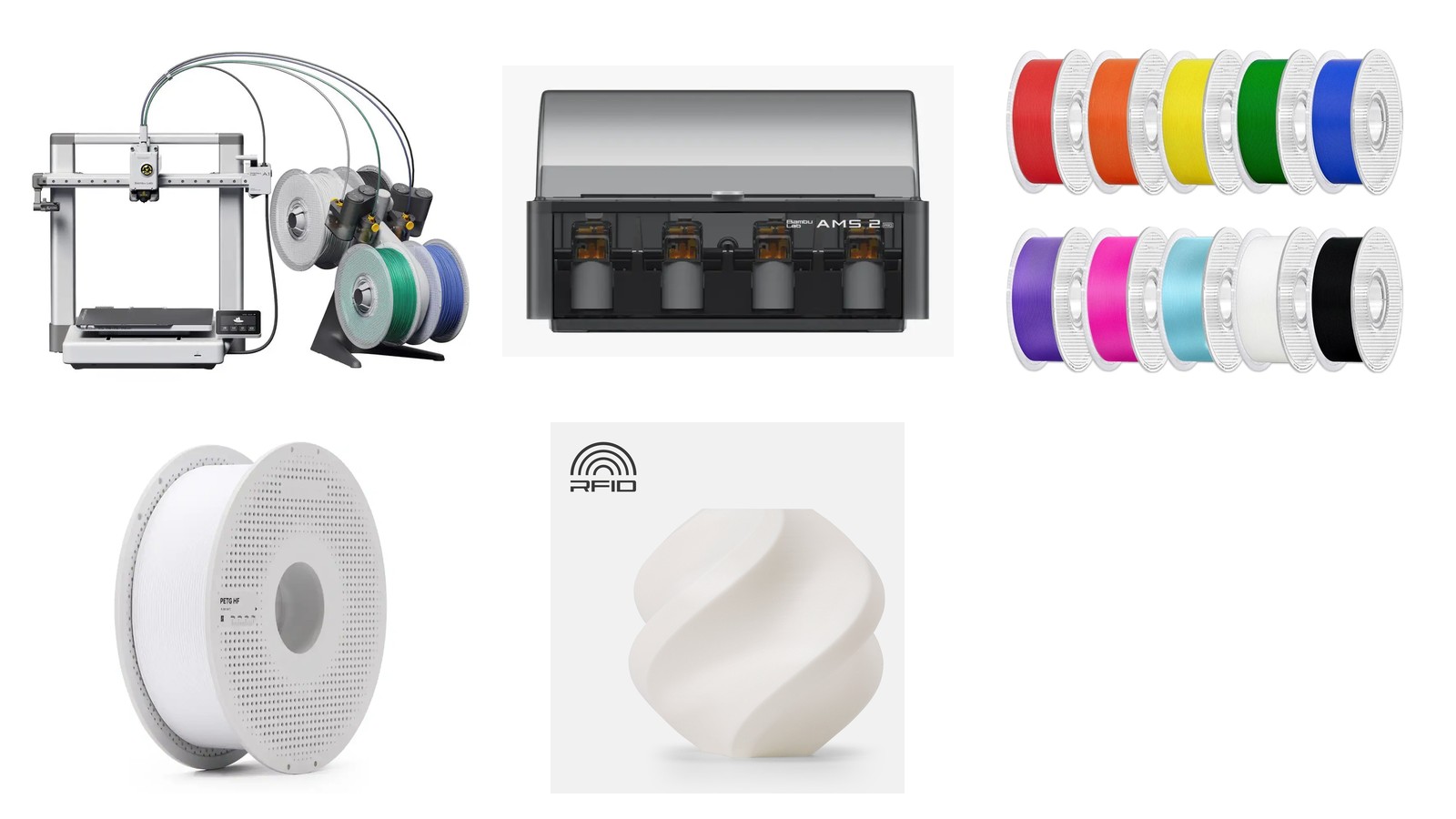
Which printer and AMS takes each filament
| Filament | A1 | A1 mini | AMS lite | AMS 2 Pro |
|---|---|---|---|---|
| PLA | Yes | Yes | Yes | Yes |
| PETG | Yes | Yes | Yes | Yes |
| ASA | Small, low-infill parts only, well ventilated | Not recommended | Yes | Yes |
| TPU 95A HF or 90A | From the external spool holder | From the external spool holder | No | No |
| TPU 85A | No | No | No | No |
| TPU for AMS | Yes | Yes | Yes | Yes |
PLA here means standard PLA, which Bambu Lab's table counts as Basic, Matte, Silk and similar. Carbon-fibre and glow PLA have their own limits, listed further down. Silk PLA should be dried before printing. Bambu Lab's material table lists AMS and AMS lite; the AMS 2 Pro column follows the AMS series. The AMS 2 Pro connects to the A1 only through the A1 Series AMS Hub.
PLA, PETG, ASA or TPU: which one for what
- PLA, for almost everything at home: easy to print and usually fine straight out of the bag (not Silk, PLA-CF or PLA Wood), but Bambu Lab does not recommend it where it will sit at about 50 °C or higher.
- PETG, when the part must take heat or knocks: Bambu Lab rates it above PLA for heat and impact. It absorbs moisture, so dry it before printing and keep it sealed with desiccant. Bambu Lab recommends an enclosed printer for PETG so a cool room does not weaken the layers; the open-frame A1 still prints it.
- ASA, for parts that face heat on an enclosed printer: Bambu Lab lists a 90 to 100 °C bed for it and recommends an enclosed printer. It also gives off fumes, so it needs good ventilation.
- TPU, for flexible parts: phone cases and watch bands. Bambu Lab gives it its top rating for impact resistance and its lowest for heat resistance and strength.
- Not for food: Bambu Lab says its PLA (except PLA Pure) and PETG are not food-contact grade.
“PLA is the most user-friendly filament type for beginners. It is odorless and easy to print, and we strongly recommend that beginners start with PLA.” — Bambu Lab, Beginner's Guide to Filaments Usage (read 24 November 2026)
Settings Bambu Lab lists for each filament
| Filament | Nozzle temperature | Textured PEI plate |
|---|---|---|
| PLA | 190 to 240 °C | 45 to 65 °C |
| PETG | 240 to 270 °C | 60 to 80 °C |
| ASA | 240 to 280 °C | 90 to 100 °C |
| TPU | 200 to 250 °C | 35 to 45 °C |
The A1 mini's bed reaches 80 °C at most, below the 90 to 100 °C Bambu Lab lists for ASA. Bambu Studio fills in these settings for you when you pick the filament type. PETG HF is listed at 230 to 260 °C for the nozzle.
Creality, eSUN and other third-party filament
- Same material, same rules: Bambu Lab's tables go by material type, so a standard 1.75 mm PLA or PETG from another brand falls under the same material row. Bambu Lab recommends its own filament as the one tested with the AMS, and lists a new brand as a reason to run flow calibration again.
- Enter the type by hand: only Bambu Lab spools with an RFID tag are read automatically. For any other spool, set the type and colour on the printer screen or in Bambu Studio. To keep track of your spools, Bambu Studio's Filament Manager (version 2.6.1 or later) lets you add a third-party spool with Manual Add and the brand Generic if yours is not listed. It is a spool list, not a print profile.
- Check the spool size: the AMS lite takes spools 40 to 68 mm wide with a 53 to 58 mm centre hole. For the original AMS, Bambu Lab lists spools 50 to 68 mm wide and 197 to 202 mm across. For the AMS 2 Pro, check the roll against Bambu Lab's own AMS 2 Pro page.
- Cardboard spools and refills: for a cardboard spool in the AMS, Bambu Lab strongly advises a spool adapter ring. A refill roll with no spool is best moved onto a reusable plastic spool, because Bambu Lab highly recommends plastic spools that fit the AMS.
- Skip fibre-filled filament in the AMS lite: Bambu Lab says carbon-fibre and glass-fibre filament can break or wear the feed path, and names its own PLA-CF as the exception that is compatible. Print the rest from the external spool holder.
Using the AMS 2 Pro with an A1
- You need the A1 Series AMS Hub and printer firmware 01.07.00.00 or later. Bambu Lab warns that buffers and hubs made for other printers can be damaged and are not covered by warranty on an A1.
- One kind at a time: the AMS 2 Pro replaces the AMS lite. Up to four AMS units can be linked, but the AMS lite cannot be mixed with them, and the A1 cannot use an AMS and the external spool at the same time. So to print soft TPU such as 95A HF from the external spool holder, disconnect the AMS 2 Pro first.
- Drying: plug the AMS 2 Pro into its own power adapter. It dries up to 65 °C, and Bambu Lab lists 8 hours at 65 °C for PETG. Before drying PETG, take any PLA and TPU spools out of that AMS 2 Pro: 65 °C is above their softening temperature and they can deform. 65 °C is also too low to dry TPU fully. A unit that is feeding the current print does not dry at the same time.
Watch out
- Glow and carbon-fibre PLA: the A1 comes with a 0.4 mm stainless steel nozzle. Bambu Lab says to fit a hardened steel nozzle for these, and does not recommend PLA Glow in the AMS lite: print it from the external spool holder.
- Do not box in the A1: Bambu Lab does not recommend enclosing the A1 or the A1 mini. For ASA it points you to an enclosed printer instead.
- Damp filament shows: stringing, bubbles and rough surfaces are Bambu Lab's signs that the filament needs drying.
Printers and filament on Skyorbits
- Bambu Lab A1: prints PLA, PETG and TPU, and small ASA parts in a well-ventilated room.
- Bambu Lab A1 mini: PLA, PETG and TPU on a smaller bed.
- Bambu Lab A1 Combo: the A1 with the AMS lite for up to four filaments in one print.
- Bambu Lab AMS 2 Pro: four slots with filament drying; on an A1 it needs the A1 Series AMS Hub.
- Bambu Lab PLA Basic: the easy first filament, read automatically by the AMS.
- Bambu Lab PETG HF: for parts that need more heat and impact resistance.
- Bambu Lab TPU for AMS: the flexible filament that feeds from the AMS lite and AMS 2 Pro.
- Bambu Lab TPU 95A HF: softer TPU, printed from the external spool holder.
- Creality CR-PLA: third-party PLA; set the type by hand on a Bambu Lab printer.
- Creality HP-ASA: ASA for an enclosed printer, or small parts on the A1 in a well-ventilated room.
Ask us which filament fits on WhatsApp
Related guides
- Bambu Lab A1 and AMS lite: real owner questions, answered
- Bambu Lab parts that fix common printer problems
- Which 3D printer should a creator buy? A1 mini vs A1 vs P2S
Frequently asked questions
Can I use Creality or eSUN filament on a Bambu Lab A1?
Generally yes. Bambu Lab's filament table is written by material type, so a standard 1.75 mm PLA or PETG from another brand falls under the same material row. Bambu Lab recommends its own filament as the one tested with the AMS, so set the filament type by hand, check the spool fits, and run flow calibration when you switch to a new brand.
Will the AMS lite read a Creality spool automatically?
No. Only Bambu Lab spools with an RFID tag are read automatically. For any other spool, including a Creality spool, you enter the type and colour yourself on the printer or in Bambu Studio.
Can the Bambu Lab A1 use the AMS 2 Pro?
Yes, with the A1 Series AMS Hub and printer firmware 01.07.00.00 or later. It replaces the AMS lite: Bambu Lab does not support using the AMS lite and the AMS 2 Pro together on one A1.
Can I print ASA on the A1 or the A1 mini?
On the A1, Bambu Lab says ASA suits only small, low-infill parts, in a well-ventilated room away from people. On the A1 mini it is not recommended. For larger ASA parts, Bambu Lab recommends an enclosed printer.
Should I put my A1 in an enclosure to print ASA?
No. Bambu Lab does not recommend enclosing the A1 or the A1 mini. If you print a lot of ASA or ABS, an enclosed Bambu Lab printer is the better fit.
Which TPU works in the AMS lite?
Only TPU for AMS. Softer TPU, such as TPU 95A HF and TPU 90A, cannot feed from the AMS lite or the AMS 2 Pro, so you print it on the A1 from the external spool holder. TPU 85A is not compatible with the A1 series.
PLA or PETG for a part that will get hot?
PETG. Bambu Lab does not recommend PLA where it will sit at about 50 °C or higher, because it can soften and deform. PETG, ASA and ABS handle heat better.
Can I dry filament on the A1?
Not on the heat bed: Bambu Lab says open-frame printers like the A1 and A1 mini are not suited to it. An AMS 2 Pro on its own power adapter dries filament on an A1, but not in the unit that is feeding the current print. Take PLA and TPU out of that unit before you dry PETG.
Where can I buy filament for my Bambu Lab printer in Oman?
At Skyorbits in Muscat: order Bambu Lab, Creality or eSUN filament on skyorbits.tech or in the Skyorbits app. Not sure which one fits your printer? Message us on WhatsApp.
Sources
- Bambu Lab Wiki: Filament guide, printer, nozzle, AMS and build plate compatibility
- Bambu Lab Wiki: A1 FAQ
- Bambu Lab Wiki: A1 mini FAQ
- Bambu Lab Wiki: AMS lite FAQ
- Bambu Lab Wiki: Introduction to AMS lite
- Bambu Lab Wiki: Connecting the A1 series to AMS, AMS 2 Pro and AMS HT
- Bambu Lab Wiki: TPU printing guide
- Bambu Lab Wiki: Notes for AMS
- Bambu Lab Wiki: Beginner's guide to filaments
- Bambu Lab Wiki: PETG usage guide
- Bambu Lab Wiki: PLA usage guide
- Bambu Lab Wiki: Filament drying with AMS 2 Pro and AMS HT
- Bambu Lab Wiki: Filament Manager in Bambu Studio
Last updated: 24 November 2026. Creality and eSUN are separate brands, not made by Bambu Lab.