Short answer: Every device in this guide takes a microSD card, and each maker publishes which cards to use. For the DJI Osmo Pocket 4, DJI Mini 5 Pro and DJI Mavic 4 Pro, DJI's spec pages name two card families: Lexar Silver Plus and Kingston CANVAS GO! Plus, rated A2 and V30. The Pocket 4 takes cards up to 1 TB. For the Insta360 X5, X6 and X4 Air, Insta360 asks for a UHS-I card rated V30 or higher, formatted as exFAT, and no bigger than 1 TB. Insta360 also says not to use UHS-II or UHS-III cards, so the fastest card on the shelf can be the wrong card for a 360 camera. Insta360 suggests 128 GB or more, because 32 GB and 64 GB cards are more likely to show a slow-card warning. Before you buy, match the card's name and the letters printed on it to the maker's list below.
Just bought a Pocket 4, a 360 camera or a drone, and not sure which card to put in it? The card is a part people often guess, and a wrong guess can show up as a stopped recording or a slow-card warning in the middle of a shoot. This guide puts the makers' own lists side by side.
What do the letters on the card mean?
- microSD, microSDHC, microSDXC: the small card size all these devices take.
- UHS-I: the card's bus. Insta360 explains that a UHS-I card has a single row of gold pins on the back.
- V30: the video speed class printed on the card. Insta360 asks for V30 or higher; every card DJI recommends is V30.
- A2: an app performance mark. DJI's lists name A2 cards.
- exFAT: the format these devices use. DJI's spec pages and Insta360's manuals both name exFAT.
The makers' card lists side by side
| Device | What the maker lists or requires | Largest card | Cards the maker names |
|---|---|---|---|
| DJI Osmo Pocket 4 | microSDXC, U3 A2 V30 | 1 TB | Lexar Silver Plus, Kingston CANVAS GO! Plus |
| DJI Mini 5 Pro | microSDXC, A2 V30 | Not stated; the list goes up to 1 TB | Lexar Silver Plus, Kingston CANVAS GO! Plus |
| DJI Mavic 4 Pro | microSDXC, A2 V30 | Not stated; the list goes up to 1 TB | Lexar Silver Plus, Kingston CANVAS GO! Plus |
| Insta360 X5 | UHS-I, V30 or higher, exFAT | 1 TB | Insta360's own card, SanDisk Extreme, SanDisk Extreme Pro, Lexar 1066x SILVER Series |
| Insta360 X4 Air | UHS-I, V30 or higher, exFAT | 1 TB | Insta360's own card, SanDisk Extreme, SanDisk Extreme Pro, Lexar 1066x SILVER Series |
| Insta360 X6 | UHS-I, V30 or higher, exFAT | 1 TB | SanDisk Extreme, SanDisk Extreme Pro |
Read on the makers' pages on 24 November 2026. Makers update these lists, so check the source link before you buy.
DJI Osmo Pocket 4 and DJI drones
DJI names the same two card families on the Pocket 4, Mini 5 Pro and Mavic 4 Pro spec pages: Lexar Silver Plus and Kingston CANVAS GO! Plus. On the Pocket 4 both run from 64 GB to 1 TB. On the two drones Lexar runs from 64 GB to 1 TB and Kingston from 64 GB to 512 GB.
Each one also has built-in storage. DJI lists 107 GB built in on the Pocket 4, 42 GB internal on the Mini 5 Pro, and 64 GB on the Mavic 4 Pro with about 42 GB free (512 GB on the Creator Combo, about 460 GB free).
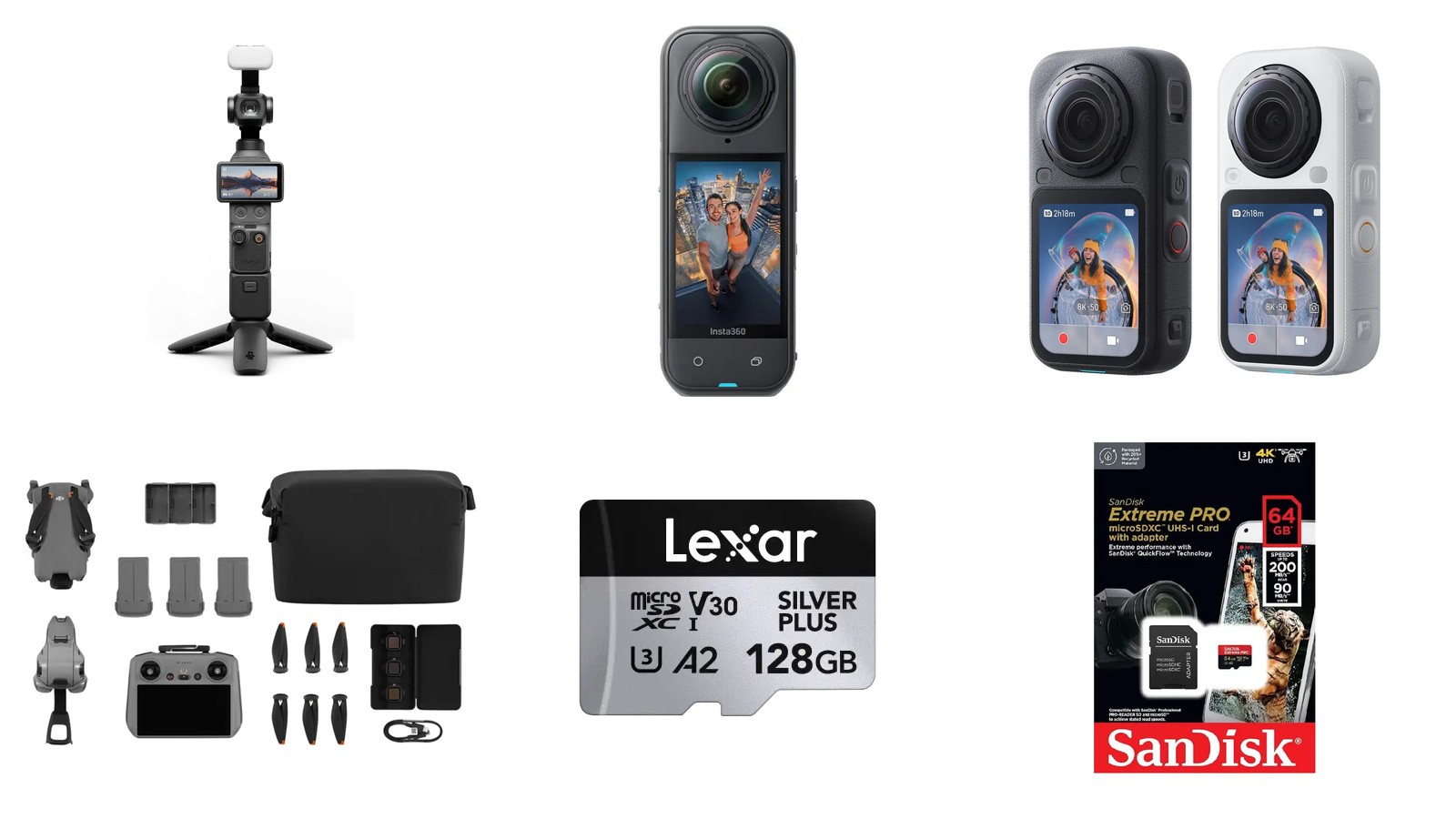
- Lexar Professional Silver Plus microSDXC: the Lexar Silver Plus line on DJI's lists
- DJI Osmo Pocket 4
- DJI Mini 5 Pro Fly More Combo with DJI RC 2
- DJI Mavic 4 Pro with DJI RC 2
Insta360 X5, X6 and X4 Air
Insta360 sets one rule for the X Series: a UHS-I microSD card rated V30 or higher, formatted as exFAT, up to 1 TB. Its manuals add a table of cards it tested, and one of them is the SanDisk Extreme Pro 64 GB with the model number SDSQXCU-064G-GN6MA, listed for the X5 and the X4 Air. In the X5 and X4 Air manuals, Insta360 first recommends its own official card from the Insta360 Store, and says the cards in its table were also tested.
“Please use exFAT format microSD cards of speed classes UHS-I and V30 or above to ensure normal recording.” — Insta360, X5 user manual, File Storage (read 24 November 2026)
Why the fastest card can be the wrong card
Insta360 says not to use UHS-II or UHS-III cards in X Series cameras, because recording may stop. It adds that V60 and V90 are usually found on UHS-II or UHS-III cards. So a V90 card, which is usually UHS-II or UHS-III, can be the wrong card for a 360 camera.
Pick the size
Insta360 recommends 128 GB or more: its support page says 32 GB and 64 GB cards are more likely to show a slow-card warning. The X6 also has 64 GB built in, with 47 GB free to record.
A note from our team: the Lexar Silver Plus microSD is UHS-I and V30, so on paper it meets Insta360's rule, but it is not on Insta360's tested list. If you want a card Insta360 tested, pick one from its table.
- SanDisk Extreme Pro 64 GB microSDXC (SDSQXCU-064G-GN6MA): on Insta360's X5 and X4 Air tested lists (64 GB: Insta360 suggests 128 GB or more)
- Insta360 X5
- Insta360 X6 Standard Bundle
- Insta360 X4 Air Standard Bundle
Before the first shoot
- Format the new card in the device. Insta360 recommends formatting through the camera or the Insta360 app.
- Back up your files regularly. Insta360 recommends moving files to a phone or computer regularly, then formatting the card.
- Check the model number, not only the brand. The same brand sells cards that are on the list and cards that are not.
Frequently asked questions
Which memory card does DJI recommend for the Osmo Pocket 4?
DJI's Pocket 4 spec page names two card families: Lexar Silver Plus and Kingston CANVAS GO! Plus, both microSDXC rated U3 A2 V30, from 64 GB to 1 TB. The Pocket 4 takes microSD cards up to 1 TB and also has 107 GB of built-in storage.
Which microSD card should I use in an Insta360 X5, X6 or X4 Air?
Insta360 asks for a UHS-I microSD card rated V30 or higher, formatted as exFAT, up to 1 TB. Its X5 and X4 Air manuals list cards it tested, including Insta360's own card, SanDisk Extreme, SanDisk Extreme Pro and Lexar 1066x SILVER Series. For the X6 its list shows SanDisk Extreme and SanDisk Extreme Pro.
Is a faster V60 or V90 card better for an Insta360 camera?
No. Insta360 says V60 and V90 are usually found on UHS-II or UHS-III cards, and it says not to use UHS-II or UHS-III cards in X Series cameras because recording may stop. A UHS-I V30 card is the right one.
What size card should I buy for an Insta360 X5, X6 or X4 Air?
Insta360 recommends 128 GB or more. Its support page says 32 GB and 64 GB cards are more likely to show a slow-card warning. The largest card these cameras take is 1 TB.
Which card does DJI recommend for the Mini 5 Pro and the Mavic 4 Pro?
Both spec pages name the same cards: Lexar Silver Plus from 64 GB to 1 TB and Kingston CANVAS GO! Plus from 64 GB to 512 GB, all microSDXC rated A2 V30. The Mini 5 Pro has 42 GB of internal storage, and the Mavic 4 Pro has 64 GB with about 42 GB free.
How do I know if a card is UHS-I?
Turn the card over. Insta360 explains that a UHS-I card has a single row of gold pins on the back.
Which memory card does my camera take?
Cameras differ: some take SD cards, some CFexpress, and some both. The card type is in your camera's manual. Send us the model name on WhatsApp and our team will check the maker's page with you.
Not sure which card fits your device?
Send us the device name and our team will match it to the maker's list with you.
Related guides
- How to use your DJI Osmo Pocket 3 and 4
- Insta360 X6 vs X5: is the upgrade worth it?
- Which drone fits you? The 2026 buyer's guide
Sources
- DJI: Osmo Pocket 4 specs (Storage)
- DJI: Mini 5 Pro specs (Storage)
- DJI: Mavic 4 Pro specs (Storage)
- Insta360: X5 user manual (File Storage)
- Insta360: X4 Air user manual (File Storage)
- Insta360: X Series memory card compatibility FAQ
- Insta360: X Series insufficient card speed
Last updated: 24 November 2026.