Own an A1 or A1 mini Combo and something isn't feeding right?
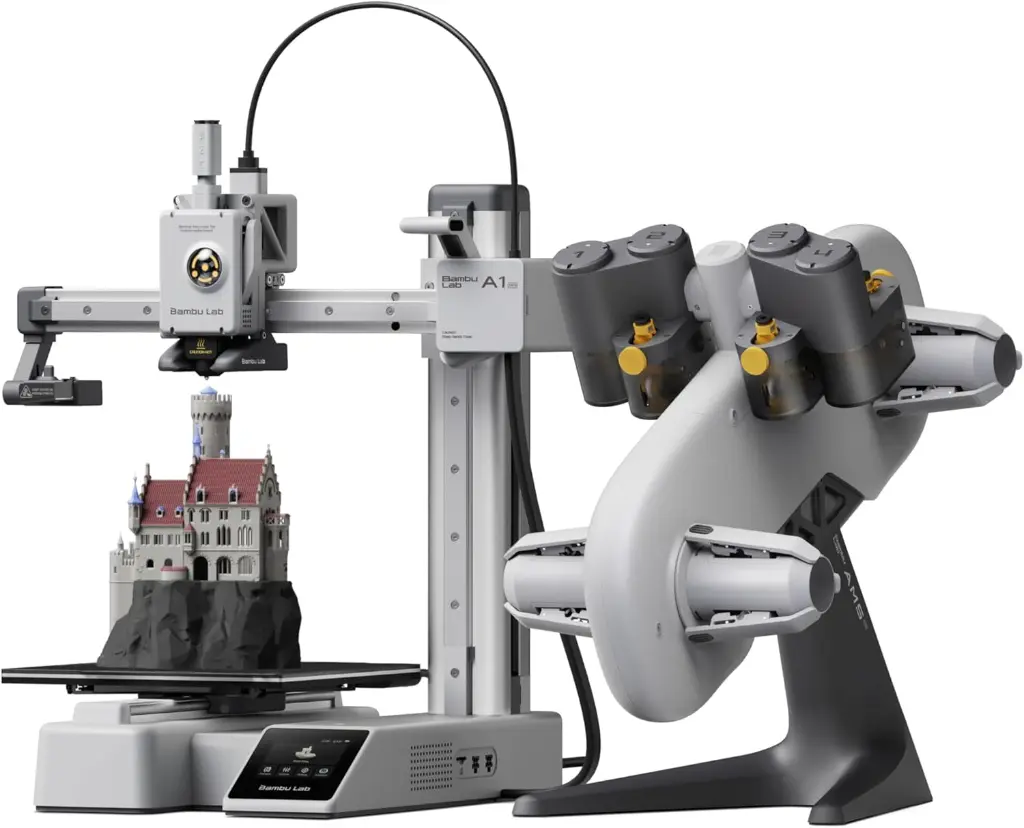
These are real questions from customers who bought their printer from us, answered with Bambu Lab's own troubleshooting steps. Each time a customer asks something the next owner will want to know, we add it here.
Last updated: 9 October 2026 · Steps from Bambu Lab's official wiki
One AMS lite slot sometimes stops working, and restarting the printer fixes it. What should I check?
Short answer: Swap that slot's spool with another slot: if the problem moves with the spool, it's the filament; if it stays, it's the slot. Push filament into the slot by hand and pull it back and forth. It should move as smoothly as the other slots; clear any filament bits from its feeder. Check its tube is pushed fully into the hub. Send us a photo of the error on WhatsApp and we'll help; if it keeps happening, bring it to our showroom.
A restart clears the error, not the cause. When only one slot misbehaves, Bambu Lab points to that slot's feeder, the filament itself, or the tube path. Check in this order:
- Read the error. Take a photo of the message on the printer screen or in the Bambu Handy app. It tells you, and us, which fix applies.
- Swap the spools. Put this slot's spool in another slot, and another spool in this one. If the problem moves with the spool, it's the filament: filament that is too thin or tangled makes the feeder gears slip. If it stays with the slot, it's the slot.
- Feel the slot by hand. Push filament into the slot and pull it back and forth. It should move as smoothly as the other slots. If it's stiffer, clean any filament bits from that slot's feeder gears. If its odometer wheel is stuck, Bambu Lab's fix is a new Filament Funnel Unit for that slot.
- Check the tube and the hub. The slot's tube must be pushed fully into the hub, and no broken piece of filament may be left inside the hub, which blocks the other slots too.
- Check the spool and the filament. Spools must be 40–68 mm wide with a 53–58 mm centre hole. Soft TPU (95A and softer), TPE, PVA and most carbon or glass-fibre filaments don't belong in the AMS lite; Bambu PLA-CF and PETG-CF are the exceptions. Print those from the external spool holder.
Still happening? Send us a photo of the error and a short video on WhatsApp. If it keeps coming back, bring the printer and the AMS lite to our showroom and we'll check it.
How do I take a tube out of the AMS lite hub without breaking it?
Short answer: Press the black lock ring around the tube down first (tweezers help), push the tube in slightly, then pull it out gently. Pulling without pressing the lock bends the metal teeth inside, and the hub stops holding the tube. That damage isn't covered by warranty.
The hub on top of the toolhead grips each tube with small metal teeth. Pulling by force bends them, and the hub stops holding the tube. It's the most common setup mistake we see on the Combo. Bambu Lab's method:
- Press the black ring around the tube down. Tweezers help, because the ports sit close together.
- Keep it pressed, push the tube in slightly, then pull it out gently. One tube at a time.
- At the AMS lite end it's the same: press the connector with your finger, then pull the tube out.
If a tube no longer stays in the hub, don't force it back in. Message us: Bambu Lab has an official repair for a hub whose spring piece has been bent, and we'll look at it with you.
Our setup guides
Our Arabic and English setup guides for the A1, the A1 mini and the AMS lite are on each product page, and we send them by email and WhatsApp with every invoice.
See the Bambu Lab A1 mini Combo