Short answer: There are three ways to get a proper microphone into a laptop or PC. A USB microphone plugs straight into the computer and needs nothing else, which suits one person recording at a desk: calls, classes, voice-overs and streams. A wireless clip-on kit, such as the DJI Mic 3, the DJI Mic Mini 2 (a set with the Mobile Receiver) or the Rode Wireless GO (Gen 3), connects to the computer over USB, so you can move around, or, with a kit that has two transmitters, mic up two people. An XLR microphone, such as the Shure MV7X, needs an audio interface like the Focusrite Scarlett Solo between the mic and the computer; it is the route for a setup you plan to grow. The Rode PodMic USB has both a USB and an XLR output, so it can start on USB today and move to an interface later. Check which ports your computer has before you choose.
Recording on your laptop and the voice comes out thin, far away or full of room echo? The built-in mic is usually the problem. Here are the three kinds of microphone that fix it, what each one plugs into, and what the makers themselves say about them.
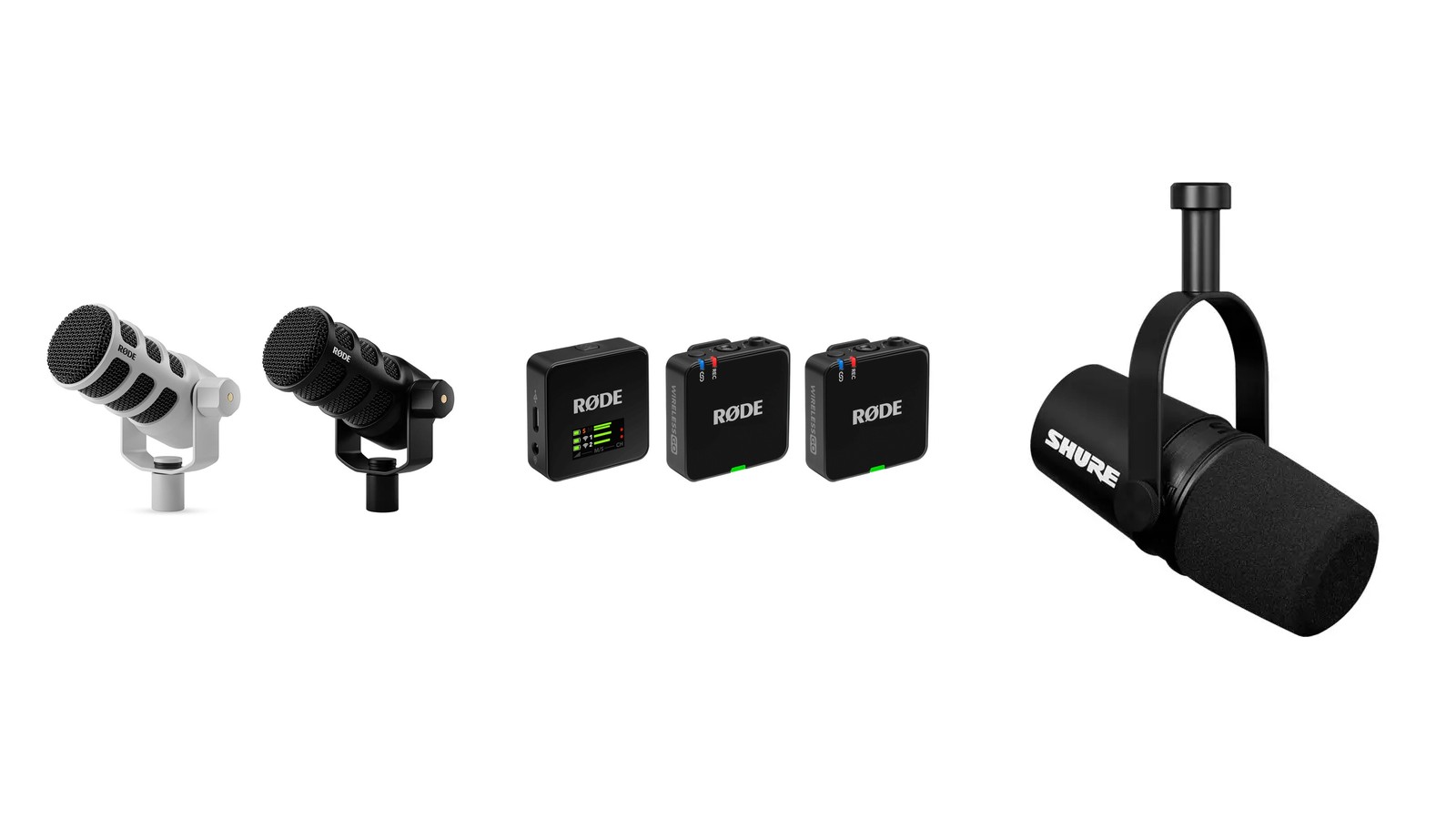
The three types side by side
| Type | Plugs into | What else you need | Good for |
|---|---|---|---|
| USB microphone | The computer's USB port | Nothing else to start | One person at a desk |
| Wireless clip-on kit | The kit connects to the computer's USB port (check the maker's guide for which unit) | Charged transmitters | Moving around, or two people with a two-transmitter kit |
| XLR microphone | An audio interface or mixer | An interface and an XLR cable | A setup you plan to grow |
USB: one cable, straight into the computer
A USB microphone carries its own converter, so the computer sees it as a sound input as soon as you plug it in. It is the simplest choice when you record in one place.
“The digital USB output features RØDE’s ultra-low-noise, high-gain Revolution Preamp™ and powerful APHEX® digital signal processing for capturing studio-quality sound with ease, and a zero-latency headphone output complete with level control, making recording seamless.” — RØDE, PodMic USB product page (read 24 November 2026)
Wireless: the mic moves with you
A wireless kit puts a small transmitter on your clothes and a receiver at the computer. You stay the same distance from the mic while you stand, walk or turn, which a desk mic cannot do.
- Rode Wireless GO (Gen 3): RØDE says you can use it as a USB microphone with your computer; each transmitter records 32-bit float on board, with a range of up to 260 m line of sight.
- DJI Mic 3: DJI lists computers among the devices it works with; the receiver's USB-C port outputs a digital signal, and DJI rates the receiver at 10 hours and each transmitter at 8 hours.
- DJI Mic Mini 2: DJI lists computers (USB-C port) for the DJI Mic Series Mobile Receiver, so choose a set that includes the Mobile Receiver; for the standard Mic Mini Receiver DJI only says its USB-C port outputs a digital signal. DJI rates the transmitter at about 11.5 hours and the standard receiver at about 10.5 hours.
DJI measures those battery times on two-transmitter kits with noise cancelling off (and internal recording off on the DJI Mic 3), with the receiver on a camera audio cable, not a computer.
“With both digital and analog outputs, the Wireless GO is just at home connected to a DSLR or mirrorless camera as it is plugged into an iPhone or Android smartphone – you can even use it as a USB microphone with your computer.” — RØDE, Wireless GO (Gen 3) product page (read 24 November 2026)
XLR: a mic plus an audio interface
An XLR microphone sends an analogue signal, so it needs an audio interface to turn it into something the computer can record. It is one more box, but you can later change the mic or the interface on its own.
- Shure MV7X: an XLR podcast mic with a dynamic cartridge; Shure says it works with almost any audio interface without the need for additional gain.
- Focusrite Scarlett Solo (4th Gen): one mic preamp with phantom power, one instrument input and one headphone output, connected to Windows or macOS over USB-C.
“With vocalists and podcasters in mind, the MV7X has been optimized for spoken word, and with a simple XLR connection, it is compatible with almost any audio interface without the need for additional gain.” — Shure, MV7X product page (read 24 November 2026)
Which one should you buy?
- You sit at one desk for calls, classes, voice-over or streams: a USB microphone.
- You stand, move or film yourself, or record two people: a wireless clip-on kit (two transmitters for two people).
- You want to grow into a podcast or studio setup: an XLR mic and an audio interface, or the PodMic USB to start on USB and move to XLR later.
Our tip: look at the ports on your laptop first. Several of the kits above connect over USB-C, so an older laptop with only USB-A ports may need the right cable or adapter.
More microphone guides
- Best Microphones & Audio Recorders for Content Creators in Oman (2026 Guide)
- Insta360 Mic Pro vs DJI Mic 3 vs RODE Wireless PRO: Which Wireless Mic Should You Actually Buy? (2026)
- DJI Mic Mini 2 vs Mic Mini 2S vs Hollyland Lark M2
Frequently asked questions
Do I need an audio interface for a USB microphone?
No. A USB microphone plugs straight into the computer. RØDE says the PodMic USB can connect directly to a computer for plug-and-play recording. An XLR microphone is different: it needs an audio interface or mixer between the mic and the computer.
Can I use the DJI Mic 3 with my laptop?
Yes. DJI lists computers among the devices the DJI Mic 3 works with, and says the receiver's USB-C port outputs a digital signal. DJI keeps the full compatibility lists on its Downloads page.
Does the DJI Mic Mini 2 work with a computer?
Yes, with the DJI Mic Series Mobile Receiver: DJI lists computers (USB-C port) for it. For the standard DJI Mic Mini Receiver, DJI says its USB-C port outputs a digital signal, but it does not list computers for that receiver. So choose a set that includes the Mobile Receiver, and check which receiver comes in the kit.
Can the Shure MV7X plug into a USB port?
Shure lists an XLR connection for the MV7X, not USB. You plug it into an audio interface, such as the Focusrite Scarlett Solo, and the interface goes to the computer over USB-C. Shure says the MV7X works with almost any audio interface without the need for additional gain.
What does the Focusrite Scarlett Solo give me?
Focusrite lists one microphone preamp with phantom power, one instrument input, one headphone output, a USB Type-C connection, a 57 dB gain range, Air mode and Loopback. It supports Windows and macOS.
Can I hear myself while I record?
Yes, if the gear has a headphone output. The PodMic USB has a zero-latency headphone output with level control. The Scarlett Solo has one headphone output, which is how you hear an XLR mic like the Shure MV7X (Shure lists no headphone output on the mic itself). RØDE lists a high-power headphone output on the Wireless GO (Gen 3), and DJI lists a monitor output for the DJI Mic 3 and for the DJI Mic Mini 2 Mobile Receiver.
How far can I move from the computer with a wireless mic?
RØDE gives up to 260 m line of sight for the Wireless GO (Gen 3). DJI gives 400 m for the DJI Mic 3 two-transmitter kit in an open area with no obstacles or interference and Lossless Audio off, and 80 m for that kit in a laboratory test with high interference. The two makers test differently, so do not compare the numbers one to one. Walls and other wireless signals at home or in the office shorten that.
Which type is best for online classes and work meetings?
Our advice: if you sit at a desk, a USB microphone is the simplest, one cable and you are ready. If you stand, walk to a whiteboard or teach on camera, a wireless clip-on kit keeps the mic close to your mouth while you move.
Sources
- RØDE: PodMic USB product page
- RØDE: Wireless GO (Gen 3) product page
- DJI: DJI Mic 3 FAQ
- DJI: DJI Mic 3 specs
- DJI: DJI Mic Mini 2 FAQ
- DJI: DJI Mic Mini 2 specs
- Shure: MV7X product page
- Focusrite: Scarlett Solo product page
Last updated: 24 November 2026.