Short answer: The Logitech MX Master 4 for Business has built-in haptic feedback. You feel a small tap for battery status, connection changes and some actions in Windows 11, and the new Actions Ring puts your favourite tools one button press away. The basics stay strong: an 8,000 DPI Darkfield sensor that works even on glass 4 mm or thicker, MagSpeed scrolling up to 1,000 lines per second, clicks 90% quieter than the MX Master 3, 70 days per charge, and switching between up to 3 computers with Easy-Switch. The Business model supports Logitech Sync monitoring and is certified for Zoom, Chromebook and Intel vPro. The honest catches: right hand only, the extras need the Logi Options+ app on Windows or macOS, and there is no charging cable in the box. Our price is 49.900 OMR including VAT.
Most people who ask us for a better mouse spend all day between spreadsheets, design files and video calls, often on more than one computer. This is the mouse we usually point them to, and it has one feature you can feel.
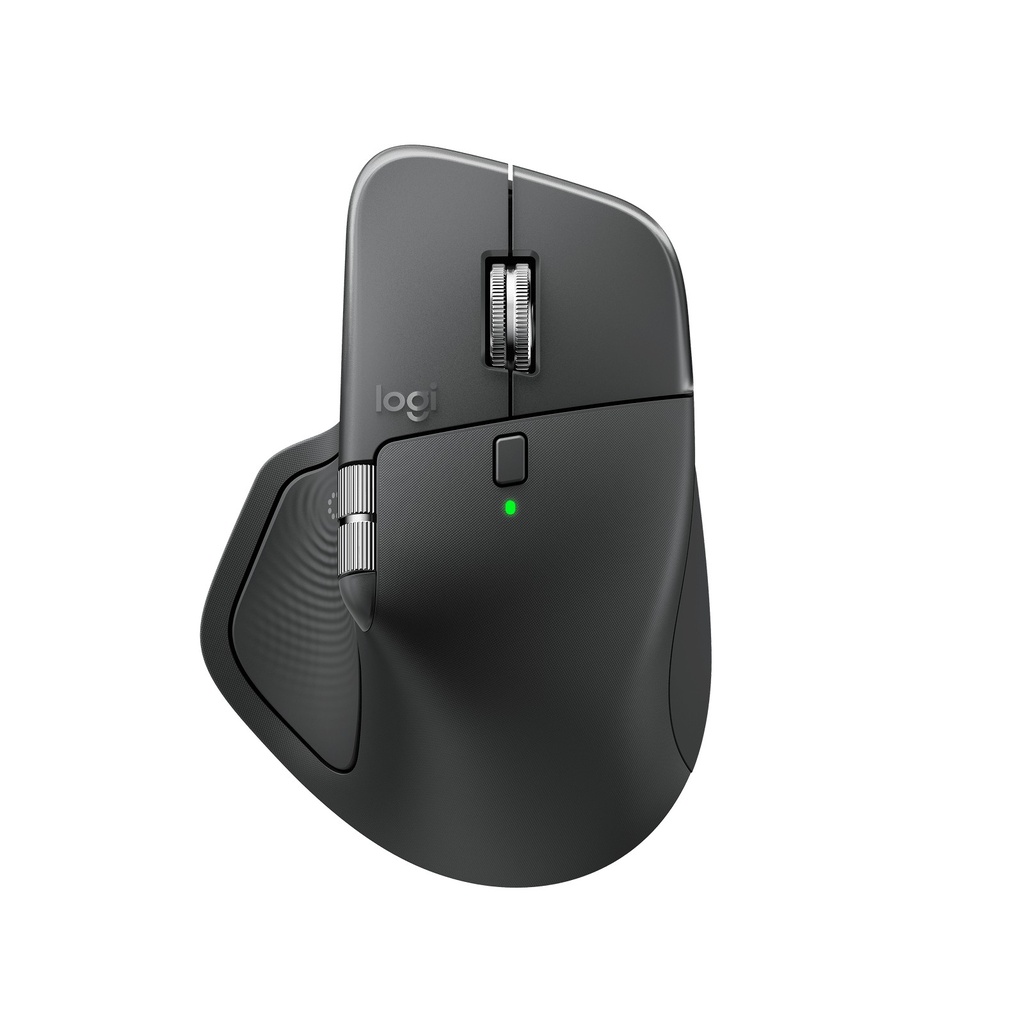
What is new on the MX Master 4
- Built-in haptic feedback: a light tap for battery status, connectivity updates and specific actions in Windows 11, and app-specific haptics you set in Logi Options+
- Actions Ring: your favourite tools and shortcuts, ready at the push of a button
- QuietClick: 90% less click noise than the MX Master 3, per Logitech
- Stronger connection: Logitech says 2x more powerful connectivity than the MX Master 3S for Business, with a Logi Bolt USB-C receiver
The Actions Ring and app-specific haptics are set up in the Logi Options+ app, available for Windows and macOS. For the Windows 11 haptics, Logitech says existing units get the feature through a quick firmware update in Logi Options+ on the latest Windows 11, and units from Fall 2026 support it out of the box.
The specifications that matter
| Spec | What Logitech lists |
|---|---|
| Sensor | Darkfield, 200 to 8,000 DPI in steps of 50; works on glass 4 mm or thicker |
| Scrolling | MagSpeed, up to 1,000 lines per second or line-by-line mode, plus a thumb wheel |
| Buttons | 8, of which 6 are programmable |
| Battery | 650 mAh, 70 days per full charge; 1-minute charge = 3 hours |
| Connection | Logi Bolt USB-C receiver or Bluetooth Low Energy |
| Devices | Up to 3 with Easy-Switch |
| Weight | 150 g |
| Hand | Right-handed |
| Systems | Windows 10/11, macOS 12+; basic functions on ChromeOS, Linux, iPadOS, Android |
Business model or normal model
The box in our shop is the Business model, part number 910-007618. Logitech's Business datasheet lists a Logi Bolt USB-C receiver in the box, certification for Zoom, Works With Chromebook and Intel vPro, and Logitech Sync, which monitors devices from one central view and simplifies firmware updates (it needs Logi Tune on each computer). The receiver needs a free USB-C port.
“Logi Bolt technology provides a fully encrypted, FIPS-compliant connection.” — Logitech, MX Master 4 for Business datasheet (read 1 November 2026)
Charging: no cable in the box
Logitech ships the Business box with the mouse, the receiver and documentation, and says the USB-C charging cable is sold separately. Any good-quality USB-C cable charges it, including the one you already use for a phone or laptop. With 70 days per charge and 3 hours from a 1-minute top-up, you will rarely be waiting on it.
Who it is for, and who should skip it
- Good fit: people who work long hours on a computer, edit photos or video, or move between two or three machines
- Good fit: offices that want to monitor their mice from one central view with Logitech Sync
- Skip it: left-handed users, because it is shaped for the right hand
- Skip it: if you mainly use an iPad, Android or Linux, where Logitech lists basic functions only
See the MX Master 4 for Business
Frequently asked questions
Does the MX Master 4 for Business come with a charging cable?
No. Logitech lists the box as the mouse, a Logi Bolt USB-C receiver and documentation, and says the USB-C charging cable is sold separately. Any good-quality USB-C cable charges it.
What does the Business model include?
Logitech's Business datasheet lists a Logi Bolt USB-C receiver in the box, certification for Zoom, Works With Chromebook and Intel vPro, and Logitech Sync, which monitors devices from one central view and needs Logi Tune on each computer. We have not seen Logitech publish a side-by-side comparison with the normal model.
How long does the battery last?
Logitech rates the 650 mAh battery at 70 days on a full charge. A 1-minute quick charge over USB-C gives 3 hours of use. Logitech notes battery life varies with use.
Can I use one mouse with three computers?
Yes. Easy-Switch moves the mouse between up to 3 devices, with the button under the mouse or from the Actions Ring. Windows, macOS, ChromeOS and Linux computers can use the Logi Bolt receiver or Bluetooth; iPads and Android devices connect by Bluetooth. The Actions Ring needs the Logi Options+ app on Windows or macOS.
Does it work on a glass desk?
Yes. Logitech says the 8K DPI Darkfield sensor tracks even on glass, with a minimum glass thickness of 4 mm.
Is the MX Master 4 for Business good for left-handed users?
No. Logitech lists it as a right-handed mouse, so left-handed users should choose a symmetrical mouse.
Does it work with a Mac?
Yes. Logitech lists macOS 12 or later, and the Logi Options+ app for the Actions Ring, Smart Actions and app-specific haptic feedback is available for Windows and macOS.
Sources
Last updated: 1 November 2026.