Short answer: On a motorbike, put the camera straight on a mount: the Heavy Duty Clamp from the Insta360 Motorcycle Bundle on the handlebar, or the Magic Arm Bar-End Mount at the end of the bar. Insta360 allows only one stick on that clamp: its Action Invisible Selfie Stick, no longer than 1 m. Our 114 cm Invisible Selfie Stick is a different stick, so keep it for hand-held shots and stops. In a car, a suction cup mount and Road Mode on X5 or X6 give you a loop recording. Fit lens guards before the ride: Insta360 lists motorcycling for the X6 guards, not the X5 guards, and X6 and X5 detect the guards by themselves. The guards are not sealed, so avoid them in rain. For a clean 360 stitch, keep both lenses parallel to the stick and people at least 1 m away. And a tip from our team: set everything up before you ride, never while moving.
Want to film your ride on an Insta360 X5 or X6 without losing the camera on the first bump? Customers ask us this often. This guide puts together what Insta360's own manuals say about mounts, selfie sticks, lens guards and sound, and points you to the accessories we carry.
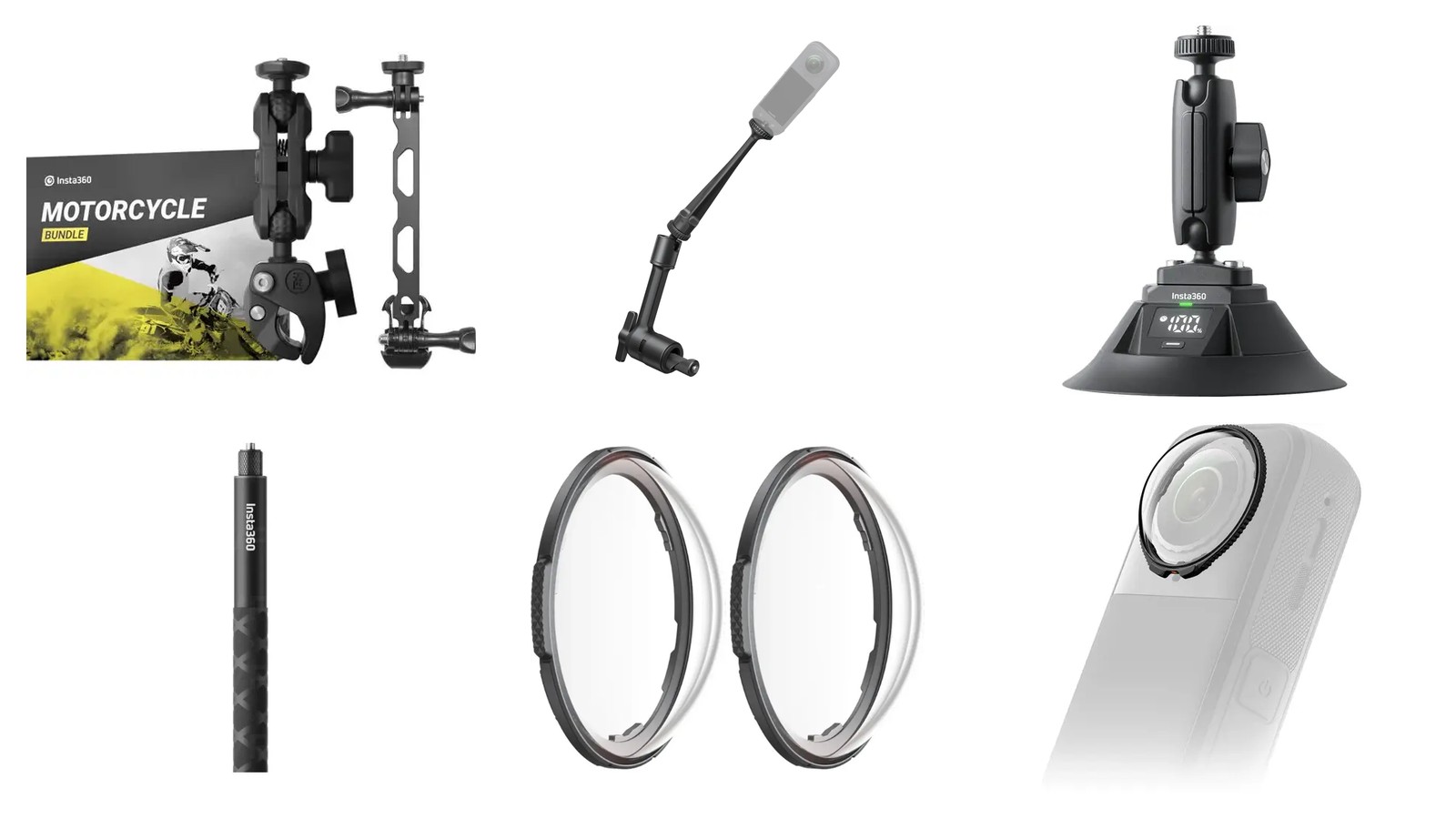
On a motorbike: which mount?
- Handlebar: the Insta360 Motorcycle Bundle carries a Heavy Duty Clamp for the bar. Insta360 says most of the clamp body is aluminium alloy.
- End of the bar: the Insta360 Motorcycle Magic Arm Bar-End Mount holds the camera out at the end of the handlebar. Send us a photo of your handlebar end before you choose it.
- Speed: the Insta360 pages we read give no riding limit for the Heavy Duty Clamp or the Bar-End Mount. The only published limit we found is for a different mount that we do not sell, the Motorcycle U-Bolt Mount: flat roads only, no more than 80 km/h and no off-road riding. Ask us before you ride fast or off-road.
Which selfie stick goes on the bike?
This is the part most people get wrong. Insta360 allows only one stick on the motorcycle clamp, and it is not the 114 cm Invisible Selfie Stick.
“If installing a selfie stick on a heavy-duty clamp, please use the Action Invisible Selfie Stick, with a length of ≤1m.” — Insta360, Motorcycle Bundle FAQ (read 24 November 2026)
So on the bike, mount the camera straight on the clamp or the bar-end arm. Our Invisible Selfie Stick is a different stick, and at 114 cm it is longer than the 1 m limit, so keep it for walking shots, stops and hand-held filming.
- Keep the two lenses parallel to the stick and do not twist it.
- Keep people at least 1 m from the camera to make stitch lines less visible.
- Use official Insta360 accessories: Insta360 says to avoid third-party ones for compatibility and performance.
In the car
A suction cup mount, such as the Insta360 Electric Suction Cup Mount, holds the camera without a stick. A tip from our team: before you set off, check the cup is firmly on.
For a drive you want to keep, X6 and X5 both have Road Mode: loop recording in a set storage space that overwrites the earliest footage when the space is full. Insta360 designed it for in-vehicle use.
A tip from our team: do not leave the camera in a parked car. The X5 manual gives a recommended range up to 40 °C, and a car in the Omani sun gets hotter than that.
Lens guards: fit them before the ride
A stone or a fall can scratch a 360 lens. Insta360 recommends keeping a lens guard on during daily use, and lists motorcycling among the supported uses for the X6 guards. For the X5 guards Insta360 lists cycling and hiking, not motorcycling.
- X6, X5 and X4 Air detect the guards by themselves and switch Lens Guards Mode on their own.
- The guard may slightly affect stitching quality, and a dirty or scratched guard affects image quality. Keep it clean.
- The guard is not sealed: Insta360 says avoid using it in rain or around water. If it gets wet, wipe it dry with a soft cloth, or fog can form inside it.
- Insta360 lists the X6 guards as not compatible with the X6 Invisible Dive Case Pro, and the X5 guards as not compatible with the dive case.
Settings to start with
These are Insta360's own recommendations for general scenes on X6 and X5, not riding-specific. Turn on Auto Wind Noise Reduction too: swipe down for the Shortcut menu, then Audio Settings.
| Camera | Daytime | Night or low light |
|---|---|---|
| X6 | Video, 8K at 30fps, Color Mode Standard | PureVideo, 8K at 30fps, Color Mode Standard |
| X5 | Video, 8K at 30fps, AdaptiveTone on | PureVideo, 8K at 30fps, AdaptiveTone on |
- On X5 in backlit scenes (when the sky is overexposed), Insta360 suggests Video, 5.7K at 30fps with AdaptiveTone and Active HDR on.
- On X5, face the rear side with the steel mesh into the wind for less wind noise.
- On X5, export through the Insta360 app or Insta360 Studio so the wind noise reduction is applied.
- A steady tapping sound in the video can come from a gap: check the lens guard is fitted and every mount is tight.
What to take
- Insta360 Motorcycle Bundle DINMBBN/A
- Insta360 Motorcycle Magic Arm Bar-End Mount CINSEAVW
- Insta360 Electric Suction Cup Mount CINSFAVB
- Insta360 Invisible Selfie Stick 114cm CINSAAVF
- Insta360 X6 Standard Lens Guards CINSBBXD
- Insta360 Premium Lens Guards for Insta360 X5 CINSBAHC
Still choosing between X6 and X5?
Frequently asked questions
Can I put the 114 cm Invisible Selfie Stick on the motorcycle clamp?
Insta360 says no. Its Motorcycle Bundle FAQ allows only the Action Invisible Selfie Stick on the heavy-duty clamp, no longer than 1 m, and no other selfie stick. Our Invisible Selfie Stick is a different stick, and at 114 cm it is longer than the 1 m limit, so on the bike mount the camera straight on the clamp and keep the stick for hand-held shots.
Do I need lens guards on a motorbike?
Insta360 lists road cycling, mountain biking, motorcycling and vlogging as supported uses for the X6 lens guards, and recommends keeping a lens guard on during daily use to prevent lens damage. For the X5 guards it lists cycling, hiking and other uses away from water, and does not list motorcycling.
Do lens guards change the picture?
Insta360 says a lens guard may slightly affect stitching quality, and a dirty or scratched guard can affect image quality, so keep it clean. X6, X5 and X4 Air detect the guards by themselves and switch Lens Guards Mode on their own.
Can I ride in the rain with the lens guards on?
Insta360 says the lens guard is not sealed and should not be used in rain or around water. If it gets wet, wipe it dry with a soft cloth, or fog can form inside it. The X5 manual also says to take the guards off before you use the camera in or around water.
How do I cut the wind noise on a ride?
Turn on Auto Wind Noise Reduction: swipe down for the Shortcut menu, then Audio Settings. On X5, Insta360 suggests facing the rear side with the steel mesh into the wind, and exporting through the Insta360 app or Insta360 Studio so the wind noise reduction is applied. A steady tapping sound can come from a gap, so check the lens guard is fitted and every mount is tight.
Can an X5 or X6 work as a dashcam in the car?
Both support Road Mode. Insta360 describes it as loop recording within a set storage space that overwrites the earliest footage when the space is full, designed for in-vehicle use and driving recording.
Can I leave the camera in a parked car?
The X5 manual gives a recommended range of minus 20 to 40 °C and warns that using the battery outside it may make the battery expand, catch fire or even explode. A tip from our team: a car parked in the Omani sun gets hotter than that, so take the camera with you.
How fast can I ride with a camera on the bike?
The Insta360 pages we read give no riding limit for the Heavy Duty Clamp or the Bar-End Mount. The only published limit we found is for a different mount that we do not sell, the Motorcycle U-Bolt Mount: flat roads only, no more than 80 km/h, and no off-road riding. Ask us before you ride fast or off-road.
Sources
- Insta360: Motorcycle Bundle FAQ
- Insta360: Motorcycle U-Bolt Mount FAQ
- Insta360: Standard Lens Guard and Premium Lens Guard
- Insta360: avoid stitching issues in 360 footage (X5)
- Insta360: X Series shooting modes and features
- Insta360: X Series recommended shooting parameters
- Insta360: video noise and wind noise reduction
- Insta360: X5 user manual (PDF)
Last updated: 24 November 2026.